



Device connection and authorization
Establish a USB device session and follow system prompts for unlock, trust and access.
FASTYITRANS · CROSS-DEVICE DATA TRANSFER
FastYiTrans focuses on cross-device data transfer. Movapper moves WhatsApp chats and media between Android and iPhone through a direct USB connection, without a computer.
WhatsApp & Business · Android ↔ iPhone · No computer · No factory reset. Review your transfer and merge options before starting.
Movapper is the WhatsApp transfer tool from FastYiTrans. Download availability will be announced here.
MOVAPPER · WHATSAPP TRANSFER
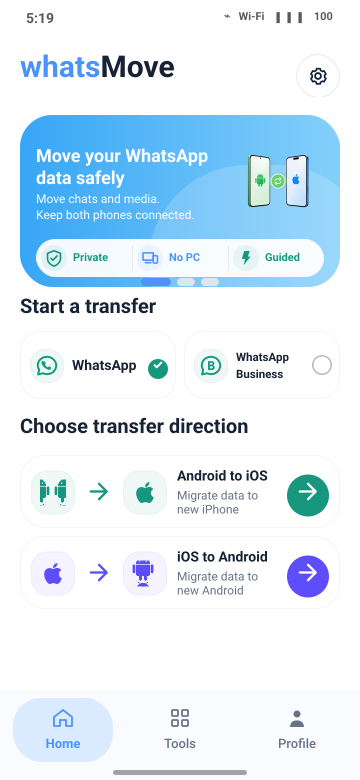
Movapper runs on the Android phone and connects both phones with a compatible USB cable. Follow the app to connect, prepare and transfer the data, then finish restoration in WhatsApp on the destination phone.
CORE CAPABILITIES
One technical approach connects device access, authorization, data parsing and transfer.
Establish a USB device session and follow system prompts for unlock, trust and access.
The device communication component runs on Android, allowing the phones to connect directly by cable.
Interpret the data needed for transfer and guide the final restoration in WhatsApp on the destination phone.
Steps and support vary by device, operating system and app release. Check the current in-app guidance before starting.
TRANSFER PROCESS
Prepare for your transfer direction, keep both phones available during connection and transfer, then finish restoration inside WhatsApp.
Select Android to iPhone or iPhone to Android and check the requirements for your devices and app version.
Have a compatible cable, enough charge and free space, and a backup of important content.
Follow the app prompts for access and connection. Keep both phones and the cable connected during transfer.
After transfer, follow the steps in WhatsApp on the destination phone and check the result.
Steps vary by device and transfer direction. Read the Guides
TRANSFER GUIDES
Choose a method, prepare your cable, or resolve a problem at the step where it happens.