


01
Prepare your phones
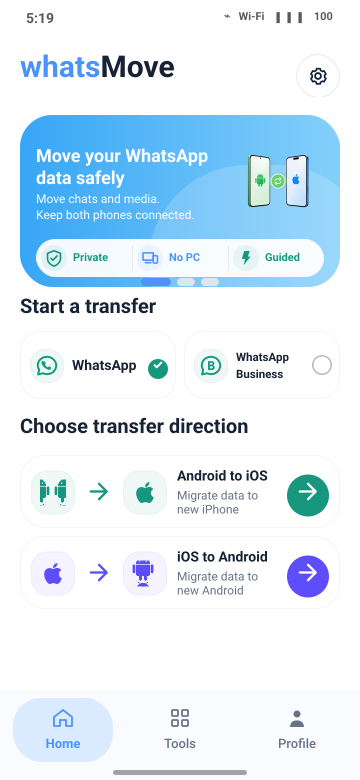
Install Movapper on your Android phone. Follow the app’s instructions to prepare your WhatsApp data.

MOVAPPER — WHATSAPP TRANSFER
Android to iPhone. iPhone to Android.
WhatsApp & Business. No computer. No factory reset.
Download available soon
Movapper is the WhatsApp transfer tool from FastYiTrans.
How it works02 / Choose a direction
A fresh start, in either direction. Choose your move and see what you need before you begin.
Move your WhatsApp chats and media to a new iPhone, and keep the conversation going.
Explore the transfer guide03 / Supported data
Move WhatsApp and WhatsApp Business chats and media. Select the data you need and review merge options for existing destination chats.
See what to prepareReview the items available for your account and direction in the app. Transfer, restore and merge can handle existing chats differently.
04 / Transfer steps
Choose your move. We’ll walk you through the rest in the app.
Install Movapper on your Android phone. Follow the app’s instructions to prepare your WhatsApp data.
Use a compatible USB cable or adapter. Keep both phones connected and follow the connection prompts.
Follow the guided transfer and finish WhatsApp setup on your new phone.
05 / Get the app
Review the guide and support details, then follow the in-app prompts.
Plans and pricing will be announced at launch.
No. Movapper runs on the Android phone and connects directly to your iPhone with a compatible USB data cable or adapter.
Movapper supports merging supported WhatsApp data. Choose the merge option when you want to keep existing chats, and read its conditions before continuing. A regular transfer or restore may replace destination WhatsApp data. Back up important content on both phones first.
No. Movapper supports WhatsApp migration without factory resetting your phone. This is separate from what happens to existing WhatsApp chats: review whether you have selected transfer, restore or merge before proceeding.
Yes. Select WhatsApp Business as the source app type and use the matching destination app. Confirm the account and data selection before starting. Moving Business data does not mean every account service or external integration is part of the transfer.